


Brad Zeimer – Real Estate Video Editing Course Review: Is It Worth It?
In real estate marketing, high-quality video content has shifted from a luxury addition to an absolute necessity. Property listings with professionally edited walkthroughs, drone showcase videos, and engaging social media reels consistently draw higher engagement, faster inquiries, and premium seller listings. However, capturing raw footage is only half the battle; transforming flat, mismatched camera clips into cinematic real estate videos requires a tailored post-production workflow.
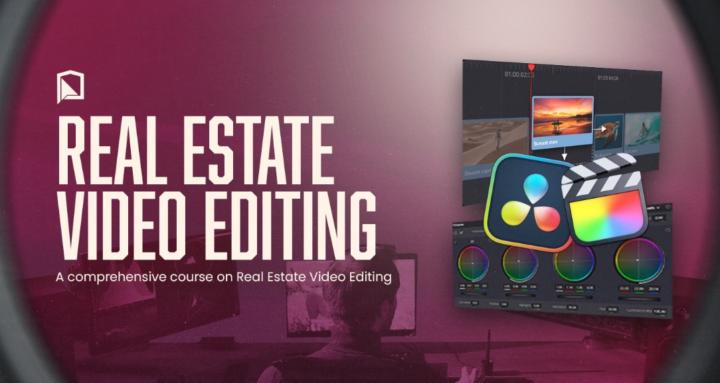
The Brad Zeimer – Real Estate Video Editing Course is built specifically to address this gap. Designed for aspiring editors, freelance videographers, and real estate agents looking to bring their video production in-house, the program promises a streamlined roadmap from raw footage to polished, broadcast-ready property tours.
This comprehensive review explores the course architecture, core training modules, practical workflows, pricing value, and potential limitations to help you decide if it fits your skill level and career goals.
What Is the Brad Zeimer – Real Estate Video Editing Course?
The course is a specialized training program focused entirely on the niche of real estate post-production. Unlike general Adobe Premiere Pro or DaVinci Resolve courses that cover broad editing concepts, this curriculum concentrates exclusively on the visual standards, timing, color correction, and pacing required by modern real estate markets.
Led by experienced video editor and creator Brad Zeimer, the curriculum is structured around real-world client projects. Students gain access to raw asset files, allowing them to practice techniques step-by-step alongside the tutorials.
Core Objectives of the Program:
-
Mastering speed ramp transitions and cinematic pacing tailored for home walkthroughs.
-
Fixing exposure variations, interior lighting challenges, and window blowouts.
-
Standardizing color grading for natural skin tones and vibrant property aesthetics.
-
Incorporating dynamic graphic overlays, lower thirds, and callout tracking.
-
Setting up efficient project organization to handle high-volume turnover.
Breakdown of Key Course Modules
The program is organized into progressive learning phases, ensuring beginners can grasp essential tools while experienced editors refine their speed and technical polish.
       [Raw Footage & Assets]
                 │
                 ▼
     Phase 1: Setup & Ingestion
  • Media Organization & Proxies
  • Project Folder Structures
                 │
                 ▼
    Phase 2: Assembly & Pacing
  • Beat-Matching & Speed Ramps
  • Spatial Flow Cut Sequences
                 │
                 ▼
    Phase 3: Color & VFX Polish
  • Window Replacement / Sky Swaps
  • Lumetri Color & LUT Application
                 │
                 ▼
    Phase 4: Audio & Export
  • Sound Design & Sound Effects (SFX)
  • Platform-Specific Render Formats
Module 1: Project Setup and File Management
Real estate video projects often involve hundreds of individual clips from multiple sensors: primary mirrorless cameras, drone footage, action cams, and vertical smartphone clips. This module covers essential file organization habits:
-
Creating standardized folder templates for fast asset retrieval.
-
Ingesting high-bitrate footage using proxy workflows for smooth timeline playback.
-
Organizing media bins by room sequence (exterior, entryway, living areas, primary suite, backyard).
Module 2: The Art of Property Walkthrough Editing
Cutting a real estate video requires an understanding of spatial flow. The viewer should intuitively feel the layout of the home as the video transitions between spaces.
-
Match Cutting: Connecting camera movements across different rooms for seamless visual momentum.
-
Speed Ramping: Using precise speed curves to glide through long hallways or non-essential transition spaces without losing viewer interest.
-
Beat Matching: Syncing cuts and camera movements subtly to background music tracks.
Module 3: Advanced Color Correction and Window Pulls
Indoor lighting presents significant visual hurdles. Rooms often mix tungsten interior bulbs with natural daylight, resulting in harsh color casts and blown-out windows.
-
Balancing Mixed Lighting: Correcting dual-temperature rooms so walls look clean and natural.
-
Window Replacement & Exposure Layering: Techniques to pull through bright outdoor scenery seen through interior windows without creating artificial edge halos.
-
Sky Swaps: Replacing dull, overcast skies in exterior footage with blue sky overlays.
Module 4: Graphics, Callouts, and Tracking
Modern property listing videos rely heavily on informational graphics to convey acreage, square footage, and key interior features.
-
Motion Tracking: Anchoring callout graphics to kitchen countertops, swimming pools, or architectural details.
-
Branded Lower Thirds: Integrating agent branding, contact details, and brokerage logos smoothly.
-
3D Text Placement: Inserting virtual property addresses directly into drone entrance shots.
Module 5: Audio Design and Music Selection
Audio sets the tone for property perception. The training outlines how to select background tracks that complement different architectural styles (e.g., luxury estates vs. modern urban condos) and layer ambient sound effects.
-
Ambient audio cleanup and noise reduction for agent soundbites.
-
Layering subtle swoosh and risers for camera transitions.
-
Music mixing, ducking, and master level equalization.
Detailed Feature & Target Audience Analysis
Who Is This Course Best Suited For?
-
Freelance Video Editors: Professionals looking to specialize in real estate content marketing and build a targeted portfolio.
-
Real Estate Videographers: Creators who shoot properties but struggle with slow turnaround times or unpolished edit sequences.
-
In-House Agency Editors: Production staff responsible for turning around high volumes of real estate listing clips quickly.
-
Agents & Marketing Managers: Real estate professionals aiming to bring video production in-house to save on agency costs.
Strengths and Potential Limitations
Strengths
-
Niche Specificity: Eliminates general video editing fluff to focus entirely on real estate standards.
-
Practical Asset Library: Includes actual project assets so concepts can be implemented immediately in an editing timeline.
-
Efficiency Focus: Teaches keyboard shortcuts, preset management, and export presets designed to reduce editing hours per project.
-
Clear VFX Workflows: Makes complex tasks like motion-tracked text and window exposure blending accessible to beginner and intermediate editors.
Limitations
-
Software Bias: Examples heavily center around Adobe Premiere Pro. While principles transfer to DaVinci Resolve or Final Cut Pro, software-specific steps require manual adaptation.
-
Focus on Post-Production: The course assumes you already have baseline footage or will work with client-supplied footage. It does not cover camera gear, lighting setups, or drone flight operations.
Final Verdict: Is the Course Worth It?
The Brad Zeimer – Real Estate Video Editing Course delivers a focused, highly practical learning pathway for mastering real estate post-production. By skipping generic editing theory and diving directly into real-world challenges—such as speed ramp walkthroughs, window pulls, and color standardization—it provides immediate utility for anyone working with property video footage.
If your primary goal is to produce crisp, high-converting real estate property tours with efficient turnaround times, this course provides the exact technical blueprint needed to raise your production standards and scale your workflow.
Be the first to review “Brad Zeimer – Real Estate Video Editing Course”
Related products

Uncategorized


Uncategorized

Uncategorized


Uncategorized

Reviews
There are no reviews yet.